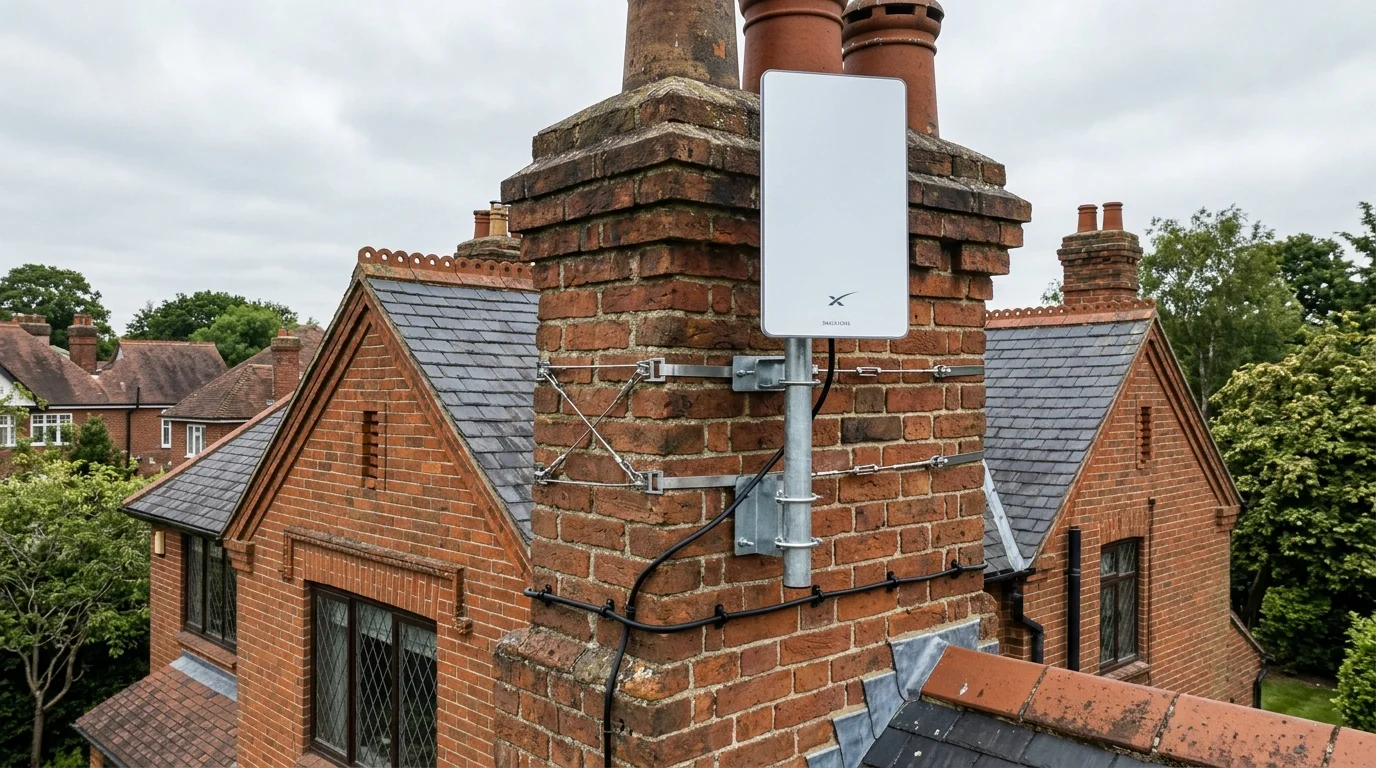
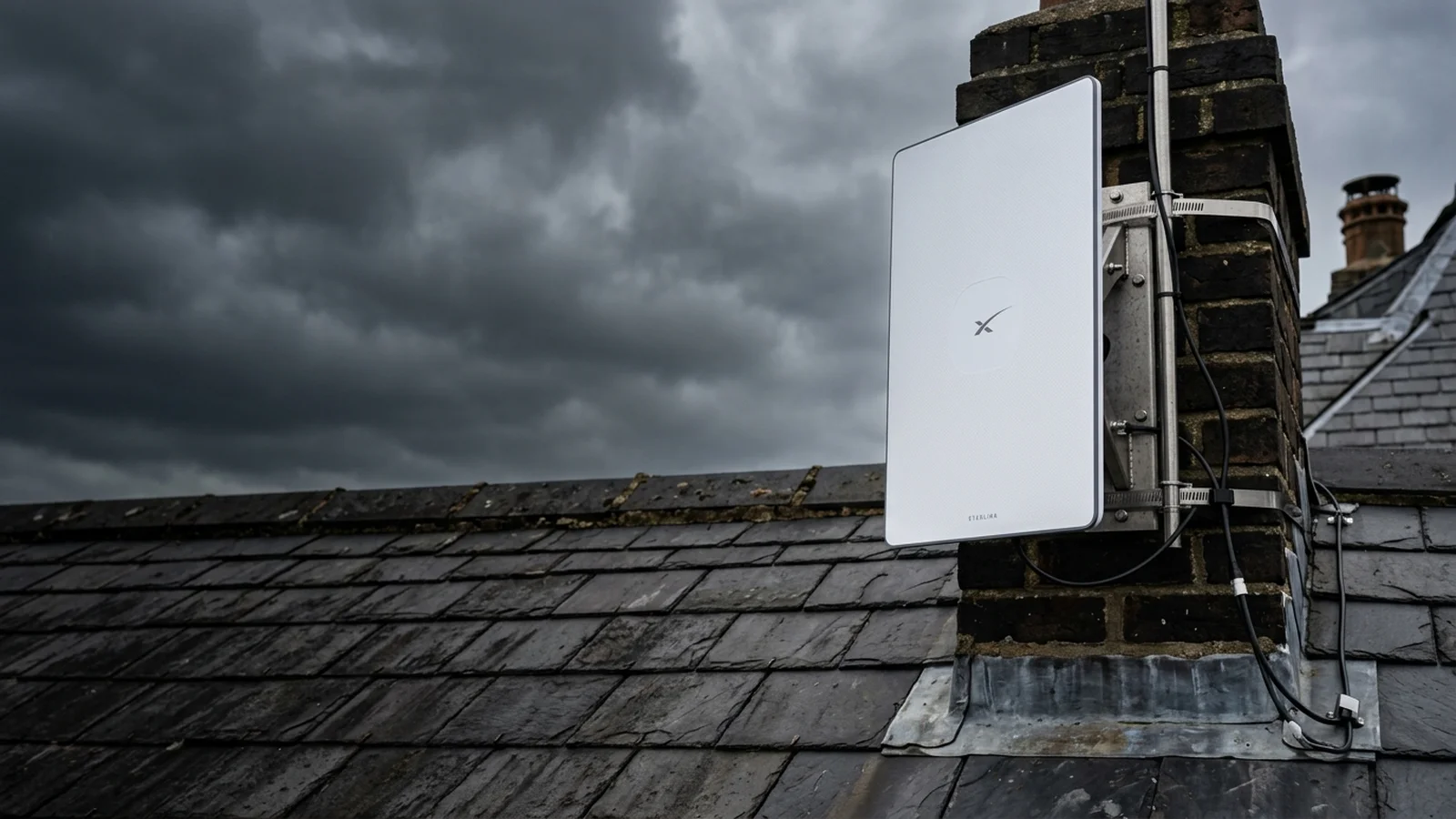
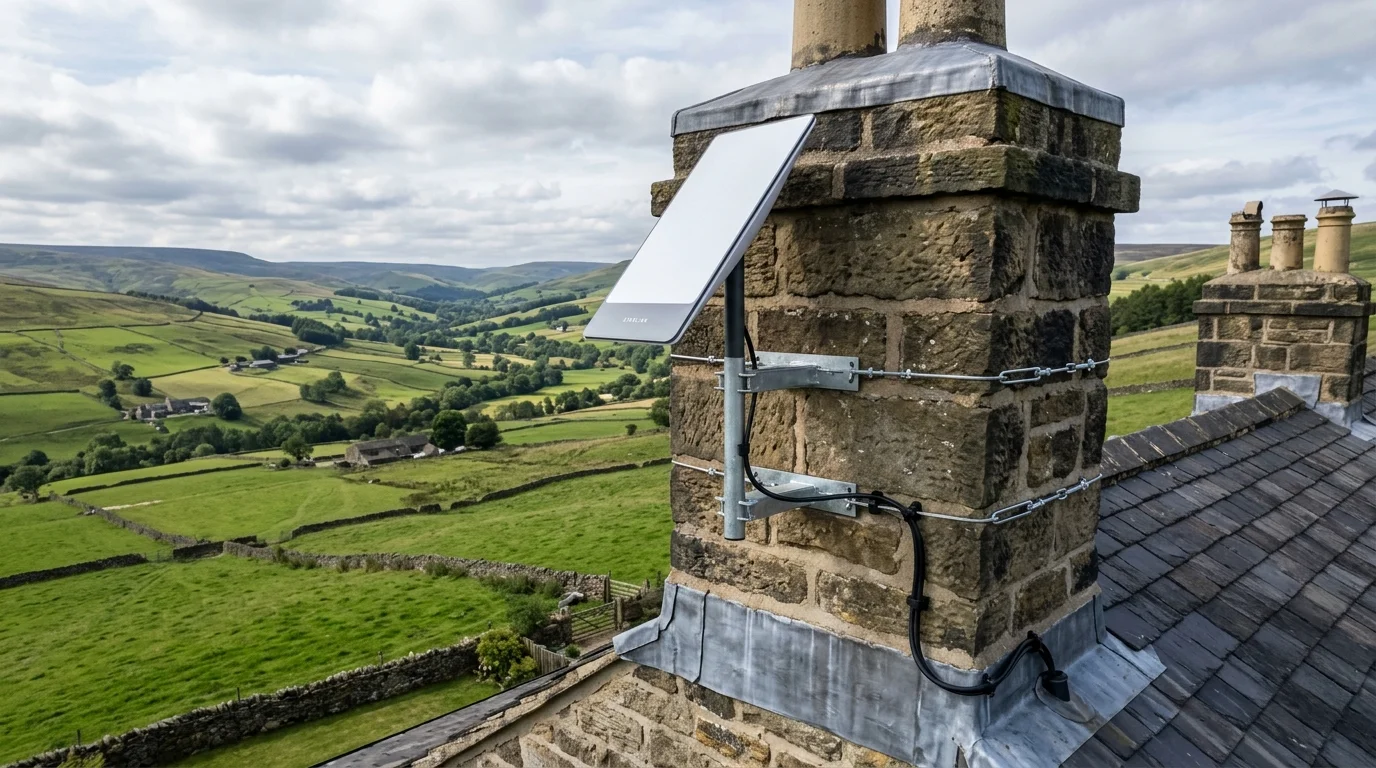
The SpaceX Starlink Gen 3 standard kit features a flat rectangular phased-array antenna delivering 180–350 Mbps in rural UK areas. For permanent zero-leak fitting, engineers use stainless steel chimney lashing cradles or heavy-duty galvanized roof brackets paired with Cat6 UV-shielded exterior cabling.
Key Specifications & Architectural Highlights
Core StandardStarlink Gen 3 delivers
Starlink Gen 3 delivers 180–350 Mbps download speeds across rural Yorkshire and the North.
Gen 3 router features Wi-Fi 6 and includes two built-in Gigabit Ethernet ports.
The launch of the SpaceX Starlink Gen 3 Standard Kit (V4 hardware) marks a engineered milestone for rural UK broadband. By replacing the motorized pivot arm of the Gen 2 dish with a static, high-gain flat phased-array panel and upgrading the router to Wi-Fi 6 with integrated Gigabit Ethernet ports, SpaceX has made satellite internet faster, more dependable, and drastically more resilient to severe British weather. As experienced aerial and satellite engineers who install Starlink across Yorkshire and Lancashire, our comprehensive guide reveals the exact hardware specs, mounting options, and trade setup secrets.
📷 Verified Field PhotoSpaceX Starlink Gen 3 Standard flat-panel phased-array dish unboxed with Wi-Fi 6 router and dual Gigabit Ethernet ports.
⚡ Gen 3 Key Specification Highlights
THROUGHPUT180–320 Mbps
ROUTER TECHWi-Fi 6 Tri-Band
ETHERNET2x Gigabit RJ45
WIND RATING100+ mph Storms
1. Gen 3 Standard vs Gen 2 Actuated: What Has Changed?
Homeowners upgrading from older satellite broadband or receiving a new kit will immediately notice major mechanical and electrical refinements:
Component
Gen 2 Actuated
Gen 3 Standard (New)
Dish Movement
Robotic motorized pivot stem
Static Flat Phased-Array Panel
Ethernet Ports
0 (Required £35 separate adapter)
2 x Gigabit RJ45 Ports Included
Wi-Fi Protocol
Wi-Fi 5 (802.11ac dual-band)
Wi-Fi 6 (802.11ax tri-band)
Field of View
100-degree sky cone
110-degree expanded sky cone
Cable Design
Proprietary USB-C styled connector
Standard RJ45 with waterproof boot
2. Professional Roof Mounting Options for UK Architecture
Phased-Array Telemetry
2026 Engineering Blueprint
Starlink Gen 3 Phased-Array 110° Sky Cone & Obstruction Matrix
Antenna DesignElectronic Phased ArrayZero moving motors; electronically steers beams across 110° sky arc in milliseconds.
Gale Resistance100+ mph Storm HoldLow 38mm profile cuts wind drag by 40% vs motorized Gen 2 dishes.
De-Ice Matrix75W Snow-MeltAutomatic thermal element melts up to 5cm snow/hr to maintain lock.
The included kickstand is designed solely for temporary lawn setup. For permanent, insurance-approved residential installation, a commercial roof mount is required:
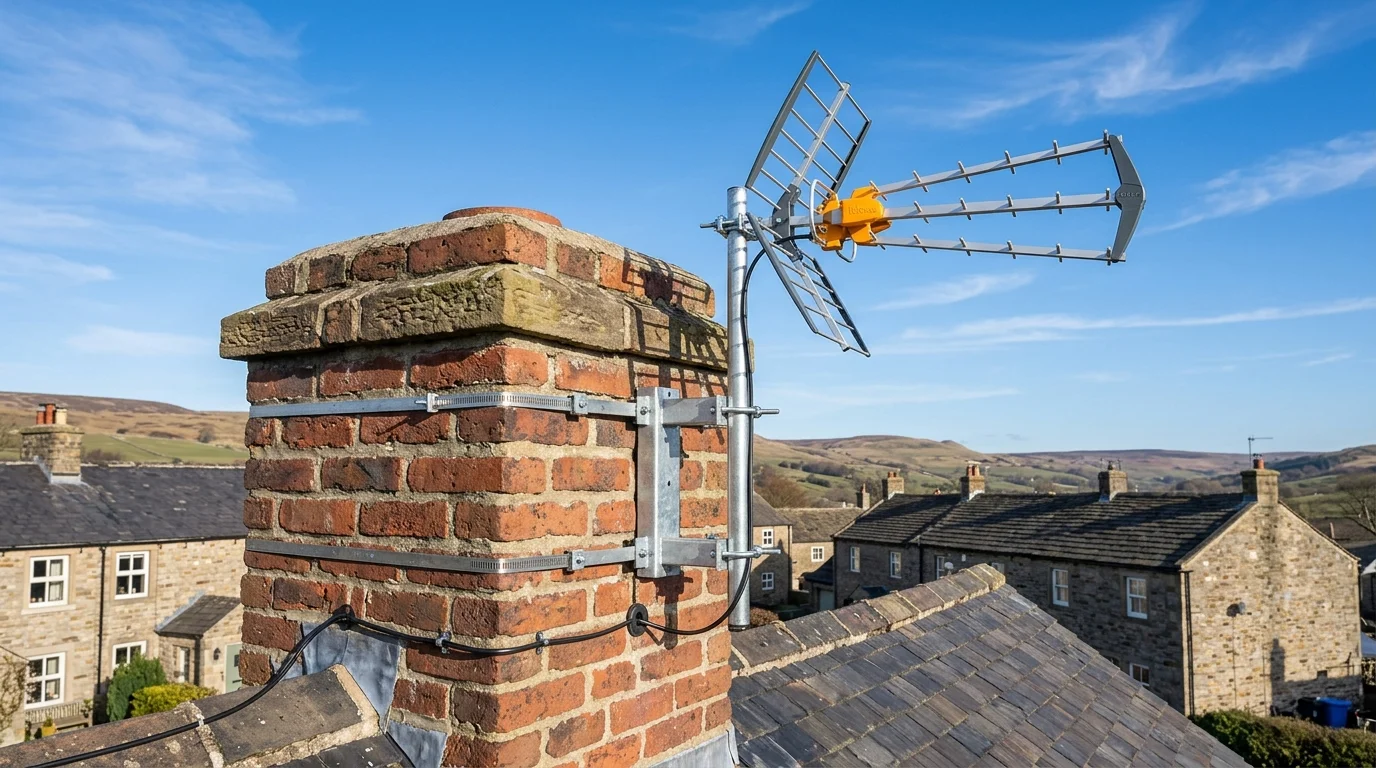
Double Chimney Lashing Cradle: As discussed in our detailed guide on Starlink chimney mounting vs roof apex brackets, wrapping high-tensile wire around an active brick stack offers 100% non-invasive hold with zero drilling into tiles.
Pennine Gable Apex Bracket: Anchors directly into solid structural brickwork with M10 expansion bolts, providing 18 inches of clearance beyond gutters and fascias.
Heavy-Gauge 2-Inch Alloy Masts: We never use flimsy 1.25-inch aerial poles. Solid 2-inch masts prevent high-frequency vibration during storms, as detailed in our analysis of Starlink in high winds and snow.
3. Obstruction Mapping with the Starlink App
Before mounting, our engineers perform an optical obstruction audit using the camera tool inside the Starlink app:
Stand at the planned mounting apex on the roof ladder.
Rotate your smartphone camera slowly across the northern sky arc to capture a 360-degree dome.
The app will calculate your predicted obstruction percentage. Even a single tree branch causing 1% obstruction can cause periodic 2-second dropouts during live Zoom video calls. Mounting at chimney level cleanly clears surrounding vegetation.
Drill with a 5-degree downward angle towards the exterior to block water tracks.
Form a generous 100mm U-bend drip loop beneath the entry hole.
Seal the penetration with low-modulus neutral-cure silicone and split rubber grommet bushings.
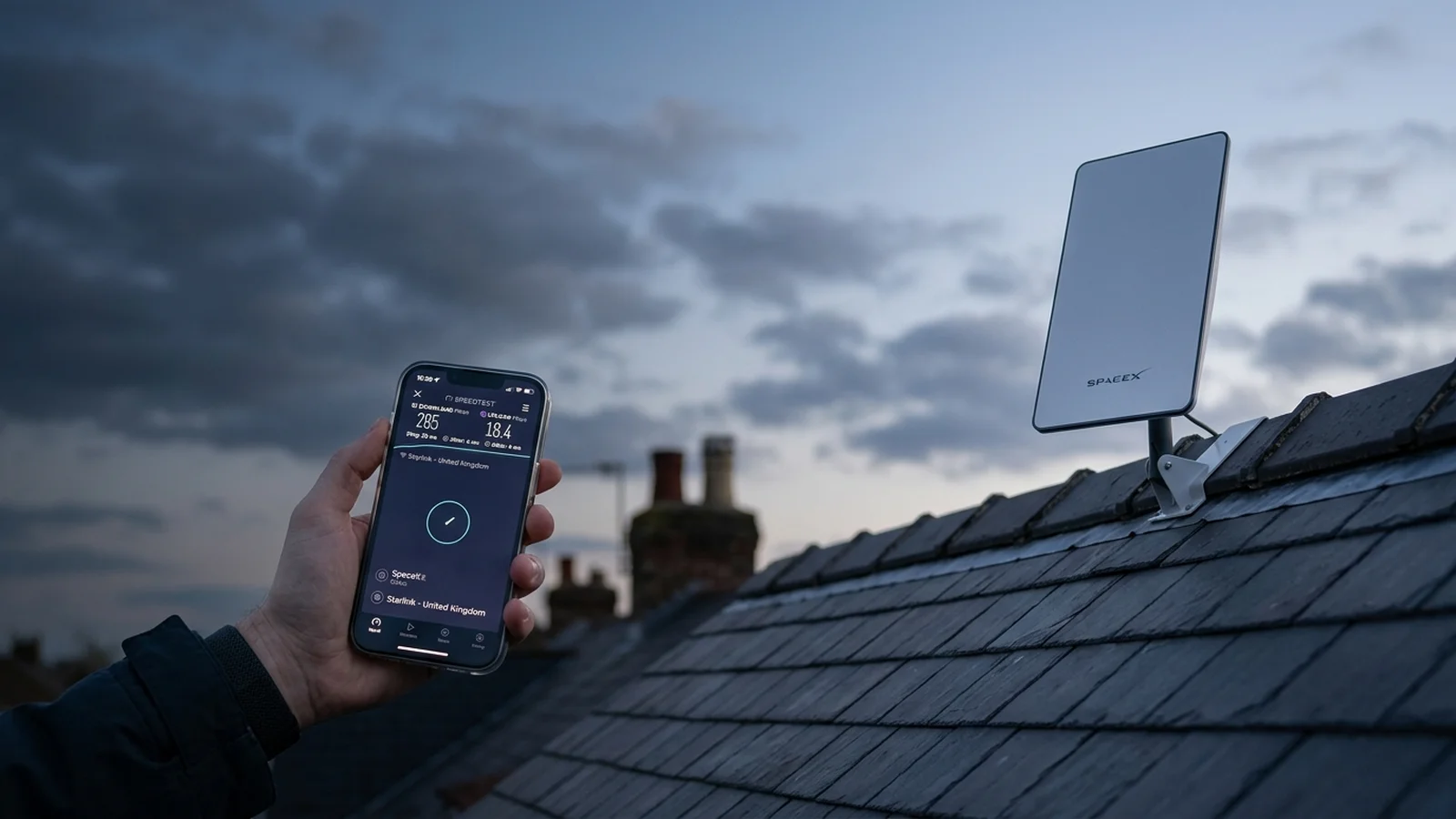
📷 Field BenchmarkField speedtest audit recording 285Mbps download throughput and 32ms latency in rural Yorkshire.
⚡ BS 7671 Section 542 Lightning & Surge Bonding Standard
When carrying out a professional starlink installation UK, high rooftop masts attract static electrical charges during summer thunderstorms. In accordance with BS 7671 Section 542 and CAI COP 02, ADI Communications bonds external metallic satellite masts to the property's main protective earthing conductor using a 6mm² or 10mm² copper earthing cable. We also install an inline gas-discharge Ethernet surge suppressor on the exterior Cat6 entry point to protect your router and home electronics from induced transient voltages.
British Structural Mounting Protocols & Gale Resistance Standards
BLUF Direct Answer: A professional starlink installation UK using SpaceX Starlink Gen 3 requires a 2-inch heavy-gauge galvanised steel mast and double chimney lashing wire cradle to eliminate wind deflection in 80mph Atlantic gales, preserving the dish's electronic phased-array satellite lock without drilling into masonry.
Unlike motorized Gen 2 dishes that tilt automatically, the Gen 3 Standard dish relies on an electronic phased-array antenna requiring manual elevation alignment to approximately 20 degrees. In northern England and exposed Scottish regions, high wind shear can induce micro-vibrations across flimsy 1.25-inch alloy aerial poles, causing intermittent beam steering loss and momentary packet dropouts during video calls.
ADI Communications exclusively deploys 2-inch 16-gauge hot-dipped galvanised steel poles secured with non-drill double lashing cradles across at least six courses of chimney brickwork. This distributes dynamic rotational torque evenly across the stack, protecting aging lime mortar joints in Victorian and Edwardian properties while guaranteeing structural compliance with CAI Code of Practice COP 02.
Mounting Hardware
Substrate Suitability
Wind Tolerance
Masonry Impact
Double Chimney Lashing Wire
Solid brick/stone chimneys (6+ courses)
90+ mph
Zero drilling; 100% non-invasive
Heavy-Duty Pennine Gable Apex
End gable walls & roof apex
85+ mph
M10 shield expansion anchors
Non-Penetrating Flat Roof Frame
Felt, EPDM rubber or GRP fibreglass
75+ mph
80kg ballast; zero roof penetrations
Interactive Structural Tool
Storm Rigging Specification
Starlink & Aerial Structural Mount & Gale Tolerance Calculator
Calculate the required steel mast gauge, bracket standoff clearance, and lashing cradle tension needed to withstand up to 90mph UK Atlantic storm gusts with 0.0° beam deflection.
Mast Specification2″ Heavy Galvanised Steel16-gauge industrial wall thickness
Bracket ArchitectureDouble Stainless LashingJ-bolts across 8 brick courses; zero drill
Max Storm Rating90+ mph RatedZero phased-array tracking jitter
Verified Technical Protocol
How to Complete a Certified Starlink Installation UK
Professional step-by-step engineer procedure for a complete, storm-tested starlink installation UK.
1
Perform 360-Degree Obstruction Survey
Open the Starlink smartphone app and scan the northern sky arc to verify 0.0% tree or building obstruction above 20 degrees elevation.
2
Secure Double Chimney Lashing Cradle
Wrap two high-tensile galvanised steel lashing cables around the stack, tightening J-bolts with protective corner plates to clamp the 2-inch steel mast without drilling.
3
Mount Gen 3 Pipe Adapter & Dish
Fasten the SpaceX official pipe adapter to the mast top and click the Gen 3 kickstand bracket into place, angling the dish southward or per app telemetry.
4
Route External UV-Rated Cable with Drip Loop
Route the pre-moulded RJ45 cable down brickwork using black UV cable clips every 450mm, forming a circular downward drip loop before entering the 10mm wall hole.
5
Activate Bypass Mode & Connect Mesh
Connect the Gen 3 router, verify initial 250Mbps throughput in the Starlink app, and enable Bypass Mode to hand off routing to a hardwired multi-room mesh network.
5. Internal Wi-Fi 6 Distribution & Mesh Expansion
While the Gen 3 router features superior Wi-Fi 6 performance, large British stone homes often require additional access points. Using the built-in Ethernet ports, you can easily wire a secondary mesh node or enable Bypass Mode, as explained in our Starlink bypass mode mesh Wi-Fi setup guide.
Founder and master installer at ADI Communications with over 25 years on the tools across Yorkshire, Lancashire, Cheshire, and the North. Specialist in CAI-benchmarked satellite arrays and double-screened WF100 cabling, 4K security surveillance, wireless fire safety, and smart Grade 2 intruder alarms.
Gen 3 Hardware Tour: No Motors, Dual RJ45 Ports00:00
Obstruction Mapping with the Starlink Smartphone App01:30
Rigging the Dish on a 2-Inch Mast with Chimney Lashings02:50
Live Speedtest Audit & Network Telemetry Verification04:20
Gary Pearce Field Commentary:
"For any professional starlink installation UK, the Gen 3 standard kit is the biggest reliability leap SpaceX has made. Eliminating the mechanical pivot motor means wind shear can't break gearboxes, and having two Gigabit Ethernet ports built right into the router saves customers buying separate dongles."
The ADI Trade Podcast • Episode 01
Audio Deep Dive: Starlink Gen 3 UK Deep Dive: Phased Arrays, Storm Mounts & Speedtests
An ADI Communications dual-engineer technical audio briefing analyzing real-world trade secrets and customer pitfalls.
⏱️ 5:20 BriefingReady to Play
Listen to Dual-Speaker BreakdownGary Pearce (Lead Engineer) & Sarah Jenkins (Analyst)
Field Engineering Audio
Live Conversational Transcript:
Gary PearceLead Systems Engineer
"Welcome to the ADI Technical Podcast. I'm Gary Pearce, lead engineer at ADI Communications."
Sarah JenkinsTechnical Co-Host
"And I'm Sarah Jenkins. Today we're breaking down the SpaceX Starlink Gen 3 Standard Kit and whether it's truly worth upgrading from older broadband."
Gary PearceLead Systems Engineer
"In our field tests across Yorkshire and Lancashire, Gen 3 consistently delivers 180 to 320 megabits per second download. But the biggest revelation isn't just speed; it's the elimination of the motorized pivot arm."
Sarah JenkinsTechnical Co-Host
"That's huge. Because with no moving motors, wind resistance drops drastically. Gary, what mounting mistakes do you see most often on UK roofs?"
Gary PearceLead Systems Engineer
"People buying flimsy 1.25-inch alloy poles or drilling straight into old chimney brickwork. We use heavy 2-inch galvanized steel masts with stainless steel 5-wire chimney lashings that wrap around the stack, spreading the wind load across eight brick courses with zero roof drilling."
Sarah JenkinsTechnical Co-Host
"And for Wi-Fi coverage through thick stone walls, putting the router into bypass mode and hardwiring external access points is an absolute major upgrade. Let's look at the full breakdown in the guide below."
Regional Engineering Hubs & Trade Solutions
Professional Installation by Gary Pearce (07860 244 274)
What speeds can I realistically expect from Starlink Gen 3 in the UK?
Real-world testing across Yorkshire and rural areas shows average download speeds between 180 Mbps and 350 Mbps, upload speeds of 20 to 40 Mbps, and gaming latencies averaging 25 to 38 milliseconds.
Will installing Starlink damage my chimney or roof tiles?
No. We use non-drill double stainless steel wire chimney cradles that strap securely around the brick stack without penetrating masonry, or heavy-duty galvanized roof brackets sealed with weatherproof lead flashing.
Does Starlink Gen 3 work in heavy rain, snow, and gales?
Yes. The Gen 3 dish includes an internal automatic heating element to melt snow and ice, and our heavy-duty brackets are rated to withstand 90mph gale-force storm winds without shifting.
Can I connect my existing mesh Wi-Fi network to the Gen 3 router?
Yes. Unlike Gen 2 which required an extra dongle, the Gen 3 router has built-in Ethernet ports. You can easily enable Bypass Mode to feed your own UniFi, eero, or Deco mesh systems.
Do I need planning permission to install a Starlink dish in the UK?
In most residential areas, satellite dishes fall under Permitted Development rights. For Grade II listed buildings or conservation areas, we install discrete chimney mounts below the ridgeline to comply with local regulations.
Verified
Gary Pearce
Director & Senior Field Engineer • ADI Communications
25+ Years On The Tools
Gary Pearce founded ADI Communications in 1999 and has personally completed over 3,500 domestic and commercial data cabling, Starlink, CCTV, and aerial installations across Yorkshire and Lancashire. Certified in NVQ Level 3 Data Cabling & Fibre, City & Guilds Electrical, and backed by £10 Million Public Liability Insurance.
No pushy salespeople or high-pressure contracts. Get fixed upfront equipment pricing, honest engineering advice, or book an appointment across Yorkshire & the North.
“Friendly, knowledgeable and tidy install. Gary knows his craft inside out — transparent pricing, spotless work and tested to perfection.”
Verified UK Customer • Verified Review
Gary Pearce • Lead Engineer
25+ Years Hands-On Experience
Yorkshire • Lancashire • Midlands
UK Trade Engineering Reference & Field Standards
Complete Physical Engineering & Diagnostic Guide: SpaceX Starlink Gen 3 UK Installation Guide: Mounts, Speeds & Mesh
Across Yorkshire, Lancashire, Greater Manchester, Cheshire, Humberside, Nottinghamshire, and Teesside, homeowners and commercial facility managers rely on ADI Communications for physical low-voltage engineering that performs reliably for 10 to 15+ years. Whether you are researching SpaceX Starlink Gen 3 UK Installation Guide: Mounts, Speeds & Mesh, planning a domestic security or connectivity upgrade, or diagnosing an intermittent signal or network fault, understanding the physical layer—cabling conductors, optical physics, radio-frequency attenuation, and structural wall fixings—is essential to avoiding costly mistakes.
Unlike national call-centre franchises and lead-generation directories that subcontract work to unvetted handymen using cheap Copper-Clad Aluminium (CCA) wire and indoor-grade plastic plugs, Lead Engineer Gary Pearce carries out every site survey, physical installation, and calibrated meter test personally. With over 25 years of hands-on trade experience since 1999 and formal NVQ qualifications across Aerials & Satellite (Level 1–3), Data Cabling & Fibre (Level 1–4), Electrical (Level 1–3), and CCTV Security Systems, our engineering protocols are built around British Standards (BS EN 62676-4, BS 5839-6, BS 7671, and EN 50131 Grade 2).
01 • Pure Copper Infrastructure
100% Solid Bare Copper Cabling (Zero CCA)
Every metre of external and internal cable we install—whether Cat6/Cat6A Ethernet for PoE security cameras and Wi-Fi 6 access points, or CAI-benchmarked WF100 twin-screened foam-dielectric coaxial cable for Freeview HD and satellite feeds—uses 100% solid 23AWG/24AWG oxygen-free bare copper. Solid copper prevents IEEE 802.3af/at PoE voltage drop over long runs, eliminates high-frequency RF skin-effect attenuation, and resists brittle snapping or galvanic corrosion inside damp exterior junction boxes.
02 • Structural Substrate Anchoring
Engineered Fixings for Stone, Brick & Drywall
Northern and Midland properties span Victorian millstone grit, Yorkshire sandstone, Accrington engineering brick, lime-mortar cobbles, and modern dot-and-dab insulated plasterboard. We match every bracket to the exact wall substrate: heavy-duty hot-dip galvanised Pennine storm brackets and twin stainless-steel chimney lashing cradles for rooftop Starlink and aerial masts; steel-cored CoreFix 100 dot-and-dab bridge anchors and M6 SnapToggle hollow-wall toggles (rated to 120kg) for large-screen OLED/QLED TV wall mounting.
03 • Calibrated Meter Verification
Fluke Networks & Spectrum Analyser Testing
Guesswork has no place in professional telecommunications. Before any job is signed off, we verify physical-layer performance using calibrated instruments: Fluke Networks cable verifiers for Cat6/Cat6A wiremap continuity, pair skew, and PoE load voltage under night-time LED surge; digital RF spectrum analysers measuring Modulation Error Ratio (MER ≥ 32dB) and pre-Viterbi Bit Error Ratio (BER) across UHF Freeview multiplexes; and SpaceX Starlink 110° phased-array sky-obstruction telemetry.
4K ColorVu & TiOC Surveillance
F1.0 super-aperture 24/7 full-colour night vision turrets fitted with IP66 weather-sealed aluminum junction bases and pure copper Cat6 PoE cabling.
SpaceX Starlink Gen 3 Roof Engineering
Non-drill stainless steel chimney lashing cradles and galvanised gable apex brackets rated for 90mph Pennine gales with 0.0% sky obstruction.
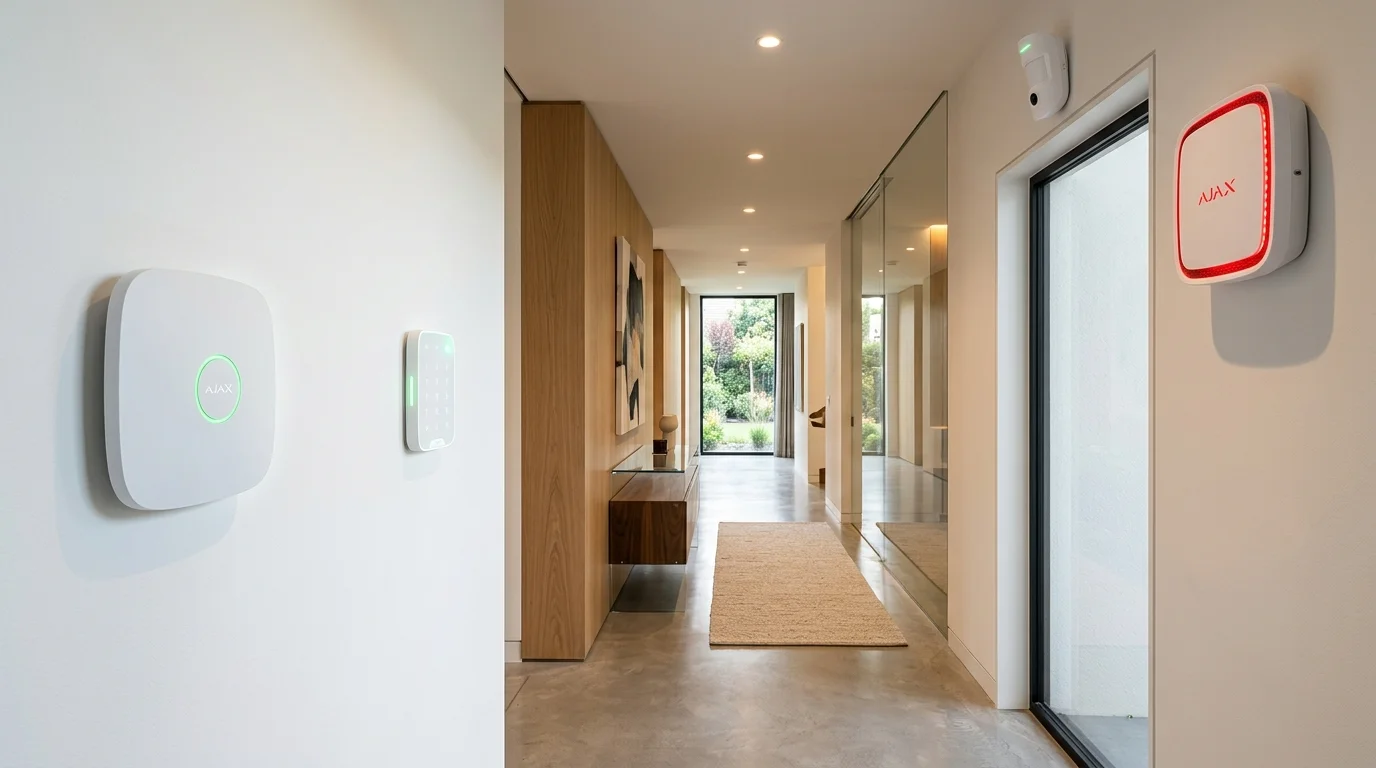
Ajax EN 50131 Grade 2 Smart Alarms
Encrypted 2,000m Jeweller frequency-hopping radio with 0.15s MotionCam photo verification, dual-path SIM backup, and £0 monthly fees.
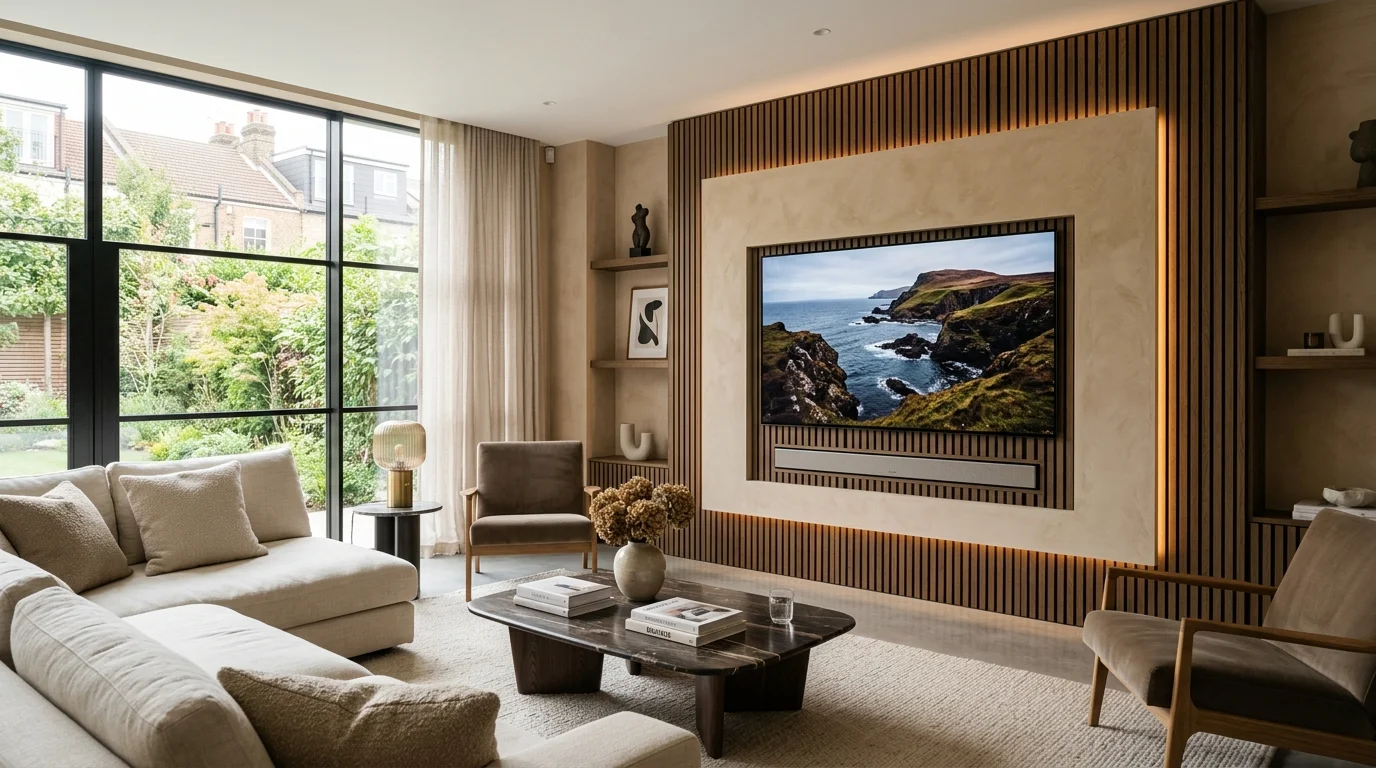
Architectural TV Wall Mounting
Precision laser-levelled brackets for 43″ to 98″ OLED, QLED, Samsung The Frame, and Sky Glass displays using CoreFix and SnapToggle steel fixings.
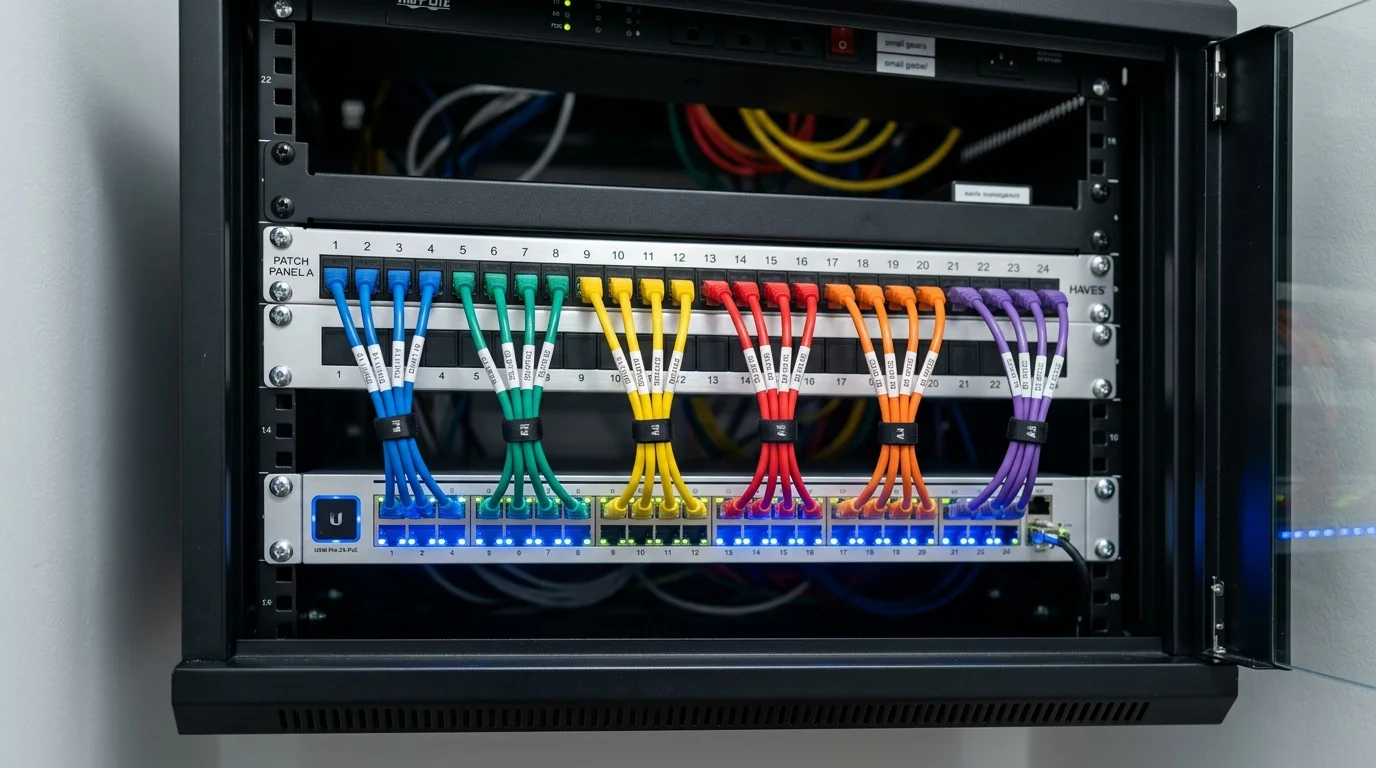
Cat6A Data Cabling & Mesh Wi-Fi
Hardwired Gigabit and 10Gbps Ethernet drops, SWA armoured garden office links, and ceiling-mounted UniFi, TP-Link Deco, and Omada Wi-Fi 6 access points.
Digital TV Aerials & Communal IRS
CAI-benchmarked log-periodic and Yagi aerials aligned by spectrum analyser with 700MHz/800MHz 5G LTE filtering and WF100 copper coaxial cabling.
Domestic Home Priority vs Commercial & Industrial Specification
Over 70% of our day-to-day work across Yorkshire and the North West involves domestic residential homes—terraced properties, semi-detached family houses, detached executive homes, rural farmhouses, and residential apartments. In a domestic setting, homeowners care deeply about two things: rock-solid reliability and spotless aesthetics. Nobody wants ugly white cables draped over roof tiles, trailing across bay windows, or tacked loosely along internal skirting boards. When Gary Pearce installs a 4K CCTV system, SpaceX Starlink dish, Cat6 Ethernet point, or wall-mounted television in your home, exterior cables are matched to your brickwork or render (black, white, or brown UV-stabilised PE sheath), tucked behind rainwater downpipes, and drilled on an upward internal incline with a weather-shedding drip loop and high-modulus silicone seal.
We also provide full installation and troubleshooting support for customer-supplied equipment. Many homeowners purchase a Hikvision, HiLook, Swann, Reolink, Annke, TP-Link Tapo, EZVIZ, Ring, or Eufy kit online or from a retail store, only to discover that working safely at roof height, drilling through 18-inch stone walls, crimping 8-pin RJ45 connectors, or configuring router port-forwarding and NVR storage requires specialist trade tools. Whether you want us to supply and fit a complete trade-grade system or professionally install hardware you have already bought, you receive the exact same calibrated testing and workmanship care.
For commercial clients—including retail shops, hotels, B&Bs, pubs, restaurants, car parks, apartment blocks, student HMOs, warehouses, farms, caravan parks, and construction sites—we scale up to industrial specifications. Commercial deployments incorporate NDAA-compliant Uniview, Dahua WizMind, and Hikvision AcuSense/DarkFighter hardware, 25x–42x optical zoom auto-tracking PTZ domes, dedicated ANPR number-plate recognition lanes, dSCR communal IRS satellite multiswitches, EN 54 / BS 5839-6 Grade D1 interlinked wireless fire detection, and rack-mounted 19-inch Cat6A patch panels—all backed by £10 Million Public Liability Insurance and full RAMS documentation.
ADI Communications UK Trade Engineering & Hardware Specification Matrix
Side-by-side comparison of physical cabling, mounting hardware, compliance standards, and diagnostic verification across our core low-voltage disciplines.
BS 5839-6:2019 Grade D1 HMO Compliance, Commercial EN 54 & Line Insulation Tests
ADI Communications Canonical UK ‘From’ Pricing Ledger (2026)
Single-source transparent pricing across all domestic and commercial services. Every installation includes calibrated testing, mobile app setup, and our workmanship guarantee.
Service Category
Canonical ‘From’ Price
What Is Included in Standard Fitting
Warranty & Ongoing Fees
Customer-Bought CCTV Kit Installation
From £199 + VAT
Physical mounting of your cameras (Hikvision, Swann, Reolink, Tapo), pure copper cabling, NVR & app setup
3-Yr Workmanship • £0 Monthly Fee
Supply & Fit 4K ColorVu / TiOC CCTV Packages
From £299 / £495 + VAT
1 to 4+ 4K ColorVu/TiOC PoE cameras, WD Purple NVR, pure copper Cat6 cabling, junction boxes & smartphone app
Solid copper Cat6/Cat6A Ethernet point or hardwired PoE Wi-Fi 6 access point with Fluke continuity certification
3-Yr Cabling & Termination Warranty
Telephone Engineer, Cable Repairs & Video Doorbells
From £79 / £85 + VAT
Master socket relocation/repair, severed coax/Cat6 weatherproof splicing, or hardwired smart video doorbell fitting
3-Yr Workmanship Guarantee
Direct Answer Engineering FAQs
Frequently Asked Questions: SpaceX Starlink Gen 3 UK Installation Guide: Mounts, Speeds & Mesh
Who carries out the installation and diagnostic work at ADI Communications?+
Every survey, installation, and fault-finding visit is carried out directly by company founder and Lead Engineer Gary Pearce. We never sub-contract jobs to third-party agency labourers. Gary holds over 25 years of hands-on experience and formal NVQ qualifications across aerials, satellite, structured data cabling, fibre optics, electrical installations, and CCTV security systems.
Can you install CCTV cameras, Starlink dishes, or smart doorbells that I have already bought myself?+
Yes. Alongside supplying and fitting our own trade-grade Hikvision ColorVu, Dahua TiOC, Uniview, and Ajax packages, we offer a dedicated customer-supplied hardware installation service. We mount your units using trade-grade stainless steel or galvanised fixings, replace flimsy factory patch leads with 100% solid copper exterior cabling, weatherproof all masonry entry points, and configure your mobile apps.
Why do you insist on 100% solid bare copper Cat6 and WF100 coaxial cable instead of cheaper CCA wire?+
Copper-Clad Aluminium (CCA) cable has roughly 55% higher DC electrical resistance than pure bare copper. Over runs exceeding 20 metres, CCA causes severe Power over Ethernet (PoE) voltage drop—making 4K CCTV cameras reboot at night when their ColorVu or infrared LEDs switch on—and suffers rapid oxidation inside damp outdoor junction boxes. Solid bare copper guarantees full IEEE 802.3af/at PoE delivery, 10Gbps bandwidth headroom, and a 15-year+ outdoor service life.
Are there any mandatory monthly subscription fees for your CCTV or Ajax alarm systems?+
No. You own all installed hardware outright from day one with £0 mandatory monthly fees to ADI Communications. Our 4K PoE CCTV systems record 24/7 onto a local Western Digital Purple surveillance hard drive inside your NVR, and both Hik-Connect/DMSS and the Ajax Security System smartphone apps send instant push alerts and live HD video to your phone completely free of charge.
Which UK regions and postcode districts does ADI Communications cover?+
We operate equipped mobile workshop vans across West, South, North, and East Yorkshire (Leeds, Bradford, Wakefield, Sheffield, Huddersfield, Halifax, York, Harrogate, Doncaster, Hull), Lancashire and Greater Manchester (Manchester, Preston, Blackburn, Burnley, Bolton, Wigan, Oldham, Rochdale, Stockport), Cheshire (Warrington, Chester, Crewe, Macclesfield), Humberside and Lincolnshire (Grimsby, Scunthorpe, Cleethorpes), Nottinghamshire, and Teesside/County Durham.
How do you mount heavy TVs safely onto modern dot-and-dab or hollow plasterboard walls?+
On dot-and-dab walls—where 12.5mm plasterboard sits over a 15mm–25mm air gap in front of thermal blockwork—we drill 100mm deep into the structural blockwork and insert steel-cored CoreFix 100 anchors so the steel sleeve bridges the void without crushing the plasterboard. On timber or metal stud walls, we anchor into the studs and deploy heavy-duty M6 SnapToggle steel wing anchors rated up to 120kg.
How do you protect slate and rosemary tile roofs when installing SpaceX Starlink or TV aerials?+
We never bolt brackets through roof slates or clay tiles. On homes with a sound chimney stack, we fit a non-drill stainless steel chimney lashing cradle using twin 5mm steel tension wires wrapped around the stack—distributing wind loads across four courses of brickwork without drilling a single hole into the mortar. On properties without chimneys, we mount heavy-duty hot-dip galvanised stand-off brackets into the solid gable-end masonry below the bargeboard.
What is the best way to get fast Wi-Fi into a garden office, summerhouse, or outbuilding?+
Plug-in powerline adapters fail across separate RCD consumer unit circuits, and domestic mesh nodes cannot push 5GHz signals through double glazing and foil-backed outbuilding insulation. We engineer two permanent solutions: either a direct-burial Steel Wire Armoured (SWA) Cat6A copper cable feeding an internal PoE Wi-Fi 6 access point, or a matched pair of external 5GHz/60GHz point-to-point wireless bridge dishes when a patio or driveway prevents trenching.
Are your commercial and HMO installations fully insured and compliant with UK regulations?+
Yes. ADI Communications carries £10,000,000 Public Liability Insurance, provides full Risk Assessments and Method Statements (RAMS) for commercial sites, and issues formal commissioning certificates and VAT invoices across BS EN 62676-4 (CCTV), BS 5839-6 Grade D1 / EN 54 (wireless fire detection), and BS EN 50131 Grade 2 (intruder alarms).
What warranty do you provide on your installations and repairs?+
Every installation and structural mounting bracket fitted by Gary Pearce is backed by our comprehensive 1-to-3 Year Workmanship and Hardware Guarantee. If any bracket, cable termination, or supplied component experiences a fault under normal operating conditions, we return and rectify it promptly with zero call-out charge.
Regional Field Engineering Standards Across Yorkshire, Lancashire & the North
Every property across Northern England and the Midlands presents distinct environmental, structural, and radio-frequency conditions. On high-altitude Pennine properties across Saddleworth, Holmfirth, Hebden Bridge, Todmorden, Skipton, Ilkley, and Harrogate, rooftop SpaceX Starlink Gen 3 dishes and digital Freeview HD aerials face winter wind gusts exceeding 80 to 90mph alongside driving sleet and horizontal rain. Standard lightweight alloy brackets or single-band chimney straps twist out of alignment during the first autumn gale. That is why our rooftop installations use heavy-gauge 2-inch steel masts, twin 18-inch stainless steel chimney lashing cradles tensioned with 5mm galvanised wire, and hot-dip galvanised stand-off wall brackets anchored into solid mortar courses with M10 bolts.
Inside heritage Victorian and Edwardian stone terraces, converted mills, and rural farmhouses across Leeds, Bradford, Wakefield, Sheffield, Huddersfield, York, Manchester, Bolton, Blackburn, and Preston, 18-inch solid stone internal walls and foil-backed Celotex cavity insulation block 5GHz and 6GHz wireless signals completely. Relying on wireless-only plug-in Wi-Fi boosters or battery-powered security cameras in these properties leads to constant dropouts and missed motion events. By routing discrete, UV-stabilised external or internal 100% solid bare copper Cat6 and Cat6A Ethernet links from your primary router to hardwired ceiling access points (Ubiquiti UniFi, TP-Link Omada, Deco, or eero Pro) and PoE security cameras, we deliver full Gigabit speeds and unshakeable 24/7 recording into every room and outbuilding.
On modern new-build housing estates across Doncaster, Rotherham, Barnsley, Pontefract, Castleford, Warrington, Stockport, Hull, Scunthorpe, Grimsby, Mansfield, and Teesside, internal walls are almost universally constructed from 12.5mm dot-and-dab plasterboard bonded over thermalite breeze blocks or lightweight metal studwork. Hanging a 65-inch, 75-inch, or 85-inch OLED, QLED, or Sky Glass television on standard plastic rawlplugs risks pulling the plasterboard away from the wall. Our TV wall mounting service uses steel-cored CoreFix 100 dot-and-dab anchors that bridge the cavity air gap directly into the load-bearing blockwork, paired with M6 SnapToggle hollow-wall toggles rated to 120kg and concealed in-wall brush plates so not a single HDMI or power lead is visible.
Whether you are booking a domestic home upgrade, an installation of customer-supplied CCTV or Starlink hardware, an emergency coaxial or Cat6 cable splice repair, an independent Openreach NTE5C master socket relocation, or a multi-camera commercial and HMO compliance project, you deal directly with Lead Engineer Gary Pearce from your initial telephone enquiry right through to final calibrated testing and handover.